Log your session
Start a workout, add a bundled or custom exercise, enter weights and reps, and mark warmup sets. Your active workout progress is saved locally.
 JustSets
Offline. On your device.
A basement gym or patchy signal should not interrupt your workout log. JustSets stores your training on your device, so you can log sets and review your history without Wi-Fi or cellular data.
Free to download · Optional one-time Pro purchase · No account
Built for the gym
Start a workout, add a bundled or custom exercise, enter weights and reps, and mark warmup sets. Your active workout progress is saved locally.
Use the rest timer between sets. With notification permission, JustSets schedules the rest-finished alert locally on your device.
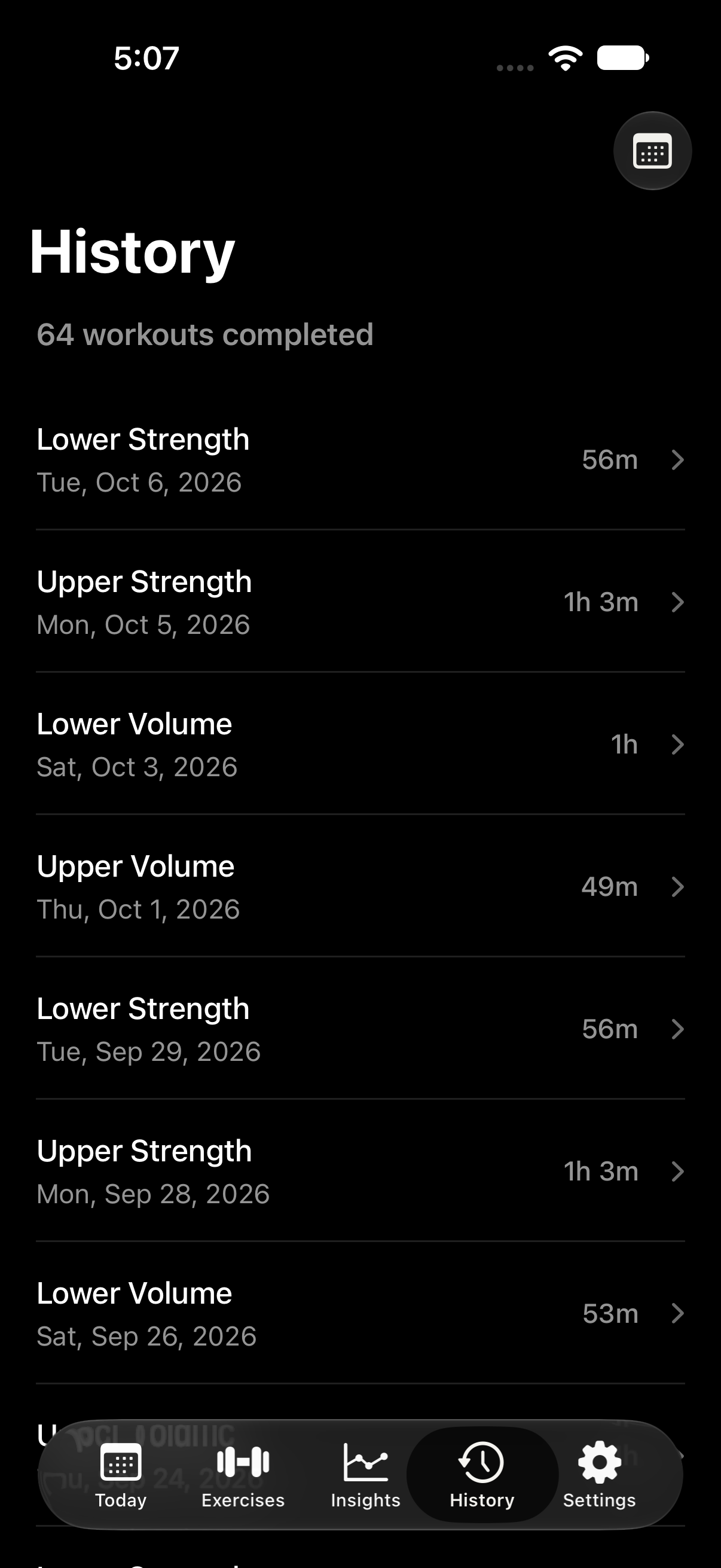
Browse your workout list and calendar, check previous sets, review personal records, and read your exercise notes. No server needs to fetch your log.
Use your saved workout template and the exercise library offline. The free tier includes one template; Pro adds more templates and progress charts.
Your training on the Home Screen. Pro includes This Week and Training Calendar widgets in small and medium sizes. See your weekly activity or this month’s completed workout days from local training summaries, even without a connection.
Try it yourself: after installing JustSets, turn on airplane mode and turn off Wi-Fi. Start a session, log a set, run the timer, and open your saved history. Core tracking does not depend on an internet connection.
There is no JustSets account, no advertising, and no third-party analytics. JustSets stores workouts, exercises, notes, and preferences in its on-device database and settings. It does not send your workout log to a JustSets server.
You choose when to share a workout summary, export a backup, or connect Apple Health. Health integration is optional: it saves future completed workout summaries through Apple’s on-device HealthKit framework. Apple manages any Health synchronization through your own settings.
Read the JustSets privacy policy for the full details of storage, permissions, purchases, and sharing.
Backup and restore · Free
On-device storage is separate from a backup. JustSets does not provide automatic cloud sync. Export a backup when you want a recoverable copy of your workouts and selected preferences.
Open Settings → Data & Import → Export JustSets Backup. JustSets creates a JSON file containing your workouts, exercises, notes, templates, and selected preferences.
Save the file through Apple’s file picker. A local Files location can be used offline; uploading to a cloud destination depends on that service and your connection. Keep a recoverable copy away from the device if you want protection against losing it.
Choose Restore JustSets Backup, select your JSON file, and review the backup summary. JustSets validates the file before asking you to confirm.
Restoring replaces existing data. It replaces the device’s JustSets workouts, exercises, templates, and selected preferences rather than merging them. Pro purchase entitlements, Apple Health connection state, and running timers are not included in the backup.
Backup and restore are free. Compare the free and Pro features.
Good to know
No. JustSets does not require an account, email address, or sign-in to log workouts.
Yes. Rest timers run locally, and timer notifications are scheduled on your device. Allow notifications if you want an alert when your rest finishes.
Yes. With JustSets Pro, This Week and Training Calendar read training summaries stored on your device, without fetching data from a server. Both come in small and medium sizes. Tap This Week to open Insights, or Training Calendar to open your workout history calendar. If a widget asks you to refresh, open JustSets to update its local summary.
No. JustSets stores your log on your device and does not sync it to a JustSets cloud. Export a JustSets JSON backup and save it somewhere you can recover it. Your device’s own backup behavior depends on your Apple and iOS settings.
Core workout tracking works offline. Apple’s services may use the network for loading prices, making or restoring purchases, and App Store review prompts. Opening the website or sending feedback also uses the network through your browser or email app.
Previously verified Pro purchases can unlock Pro features offline. Buying Pro or restoring a purchase may require a connection to Apple’s App Store services.
Just your sets
Log your weights and reps, keep your rest on track, and pick up where you left off.
Download JustSets for freeExplore JustSets